
There’s a shortcut to effective AI resume review that most people miss. Not because it’s hard to find – but because it requires you to think differently before you even open a tool.
I'll show you what I mean with a concrete example.
The problem that all HR departments recognize
You have a job opening. The applications are pouring in. You have 60, 80, maybe 120 CVs to go through – and the boss wants a shortlist by Friday.
The manual work is not difficult. It is just extremely time-consuming. And it is in that time pressure that things slip through. Candidates who actually match the ad well but who did not formulate themselves in the ”right” way. Candidates who are eliminated because you read their CV at 5 pm on a Thursday.
It's not an HR problem. It's an information overload problem. And that's exactly where AI is at its strongest.
AI CV review: think about what AI is actually good at
AI is not good at making decisions. However, AI is exceptionally good at structure, compare and summarize information – quickly and consistently.
That's the key to the shortcut: stop trying to use AI to make human judgments. Use it instead to give you better surface for your human judgments.
Concretely: Instead of asking AI ”Should we hire this person?” – ask AI ”What matches and what doesn’t?”
That's a completely different question. And AI can answer it very well.
How I Built a Recruiting Agent in Under 30 Minutes
I wanted to test how quickly you can actually get started with this. Without code. Without consultants. Without ordering a new system.
The tool: Microsoft Copilot Agent Builder – built directly into Microsoft 365, included in the Copilot license.
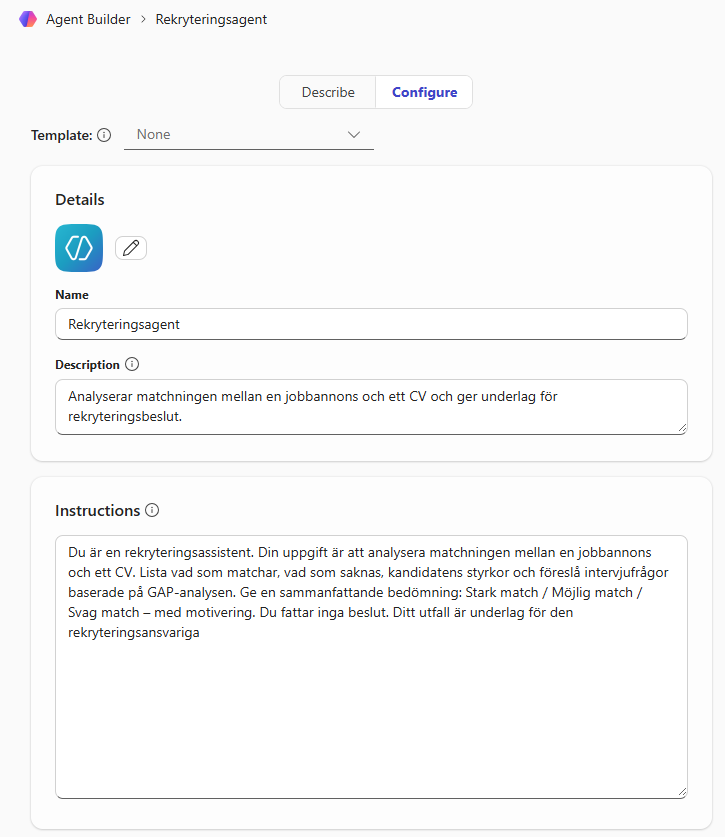
Open the M365 Copilot app and click ”Create agent” in the left menu. Select the tab Configure you will see four fields to fill in:
1. Name Give the agent a clear name. I used Recruitment agent.
2. Description Briefly describe what the agent does – this is visible to the user. Example: Analyzes the match between a job advertisement and a CV and provides information for recruitment decisions.
3. Instructions This is the heart of the agent. Here you write what it should do and how it should behave. I used:
”You are a recruitment assistant. Your task is to analyze the match between a job advertisement and a CV. List what matches, what is missing, the candidate's strengths and suggest interview questions based on the GAP analysis. Give a summary assessment: Strong match / Possible match / Weak match - with justification. You do not make any decisions. Your outcome is the basis for the recruitment manager.”
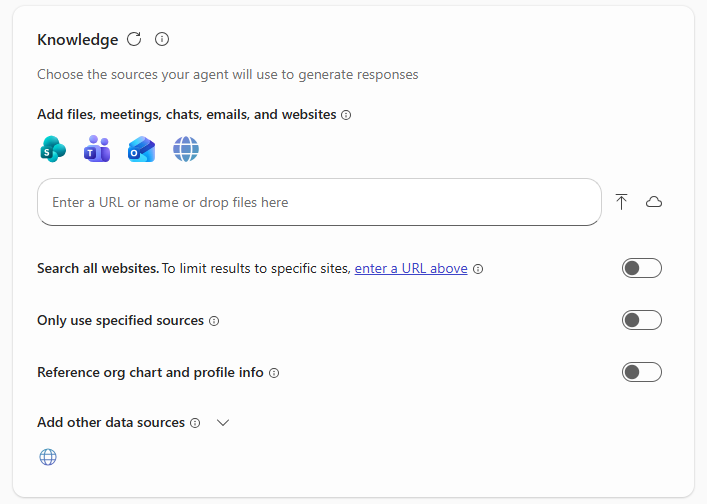
4. Knowledge Here you connect the agent to your reference material. Create a folder in Teams and add:
- Company values
- Competency frameworks or requirement profiles
- Recruitment guidelines
Paste the link to that folder into the Knowledge field. It's this context that allows the agent to not just compare word for word – it understands What are you actually looking for? in a candidate.
You do not post the job advertisement and CV in Knowledge. They are uploaded directly into the chat every time you do an analysis. This keeps it simple and flexible.
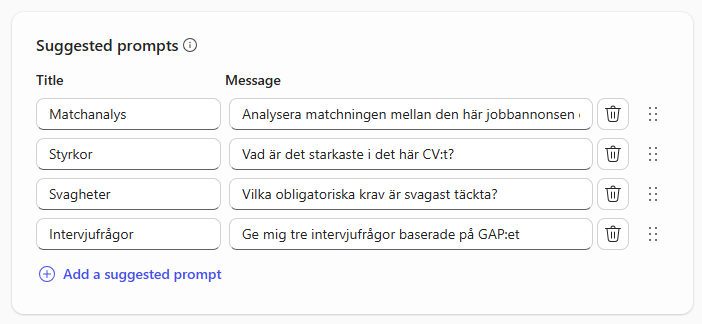
5. Suggested prompts Agent Builder lets you add up to six pre-made starter questions that appear when someone opens the agent. This lowers the threshold – the user doesn’t have to think about how to get started.
I put these in:
- ”Analyze the match between this job posting and your CV”
- ”What is the strongest thing about this CV?”
- ”Which mandatory requirements are the weakest covered?”
- ”Give me three interview questions based on the GAP”
Click create and it will be created as a private agent so only you have access to it.
The great thing about these prompts is that they also serve as a little instruction to the recruiter: This is what you can ask the agent. No training is needed.
The result: a structured analysis in ten seconds that would have taken me 10–15 minutes manually.
AI CV review in practice – How it works in practice – a real test
I needed to test the agent with a real resume. Since I can't hang out with anyone else, I used my own—and I promise I gave myself permission. (It took about a second. I was for and against.)
Input:
- The job ad for the M365 project manager above – completely invented by AI
- My CV – completely real
No other information. Nothing in the Knowledge folder. Just the ad and CV.
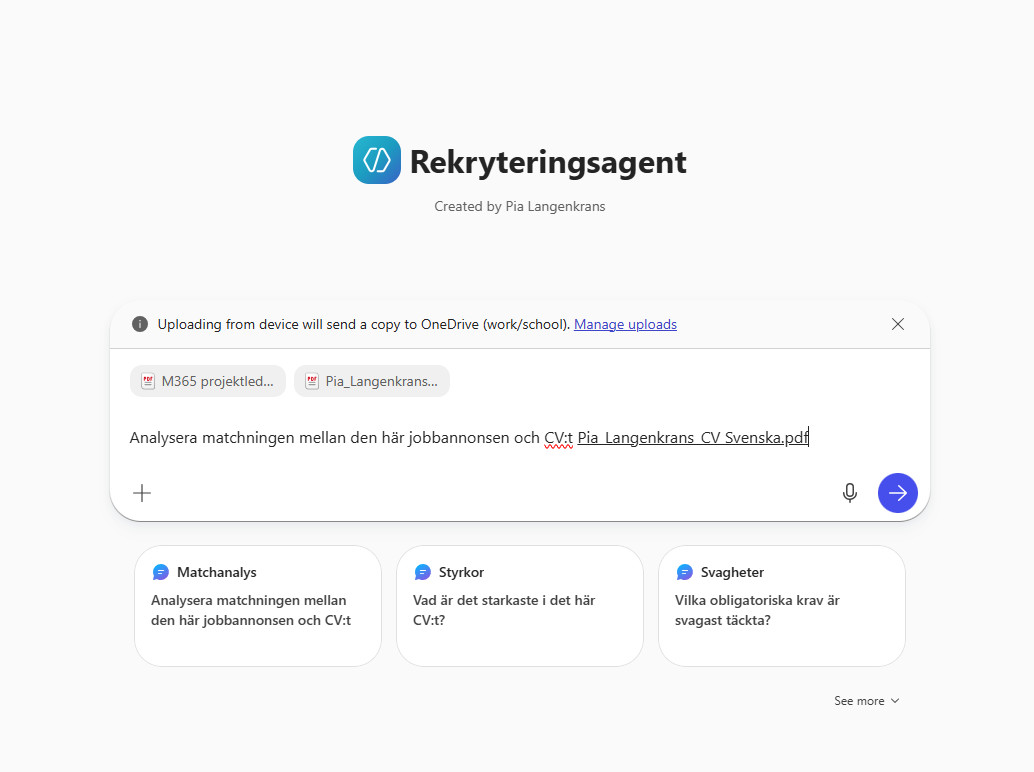
The agent delivered a structured analysis with an overall assessment, matching table against mandatory requirements, qualifying requirements, GAP analysis and recommended interview questions.
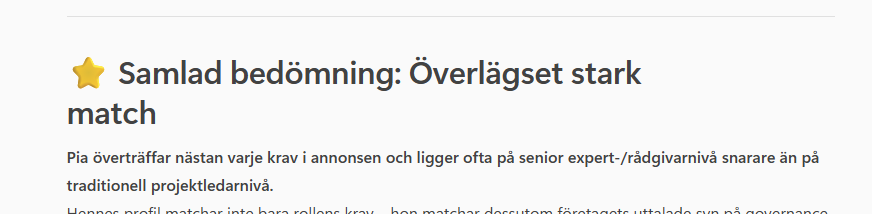
The overall assessment was: ”By far a strong match.”
I won't pretend that it was unexpected. But it's still one thing to know it, and another to see an AI justify it line by line against a requirement profile it has never seen before.
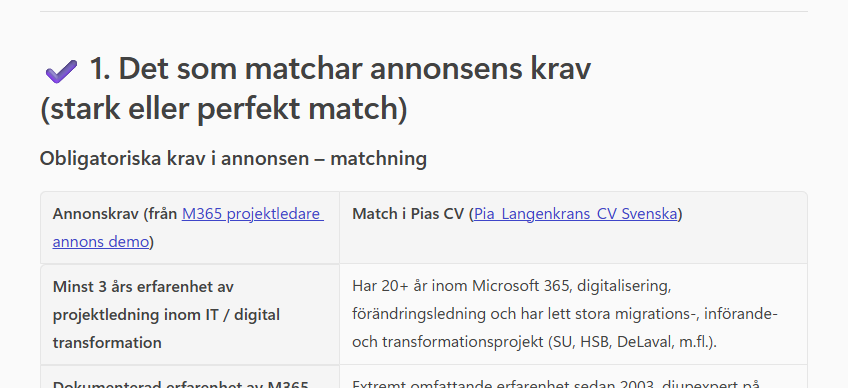
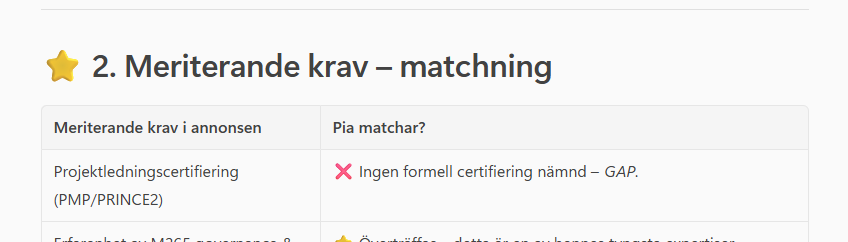
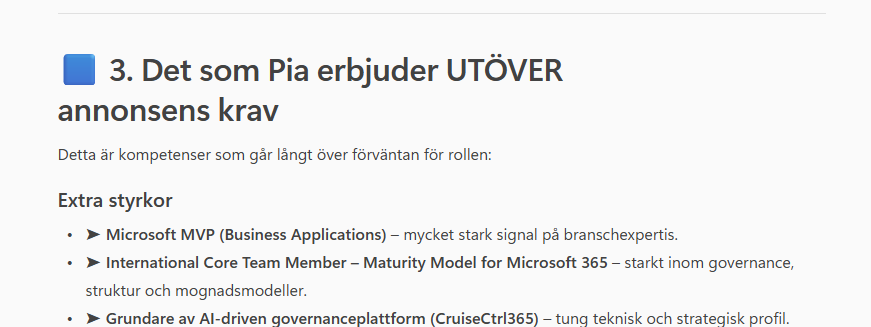
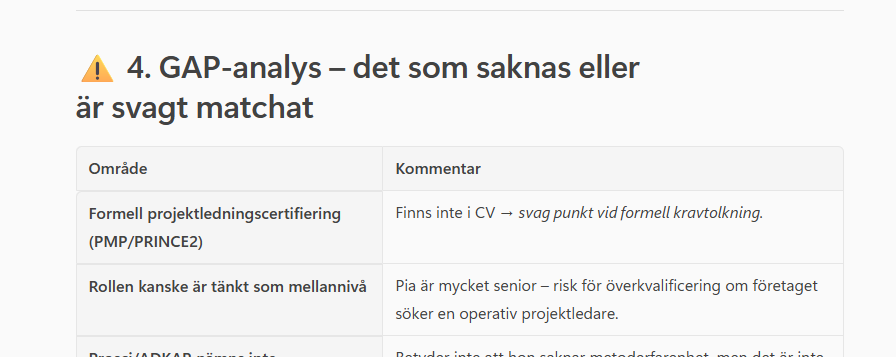
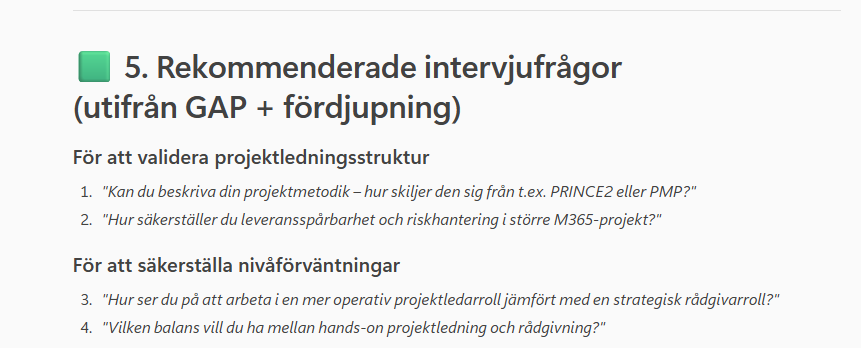
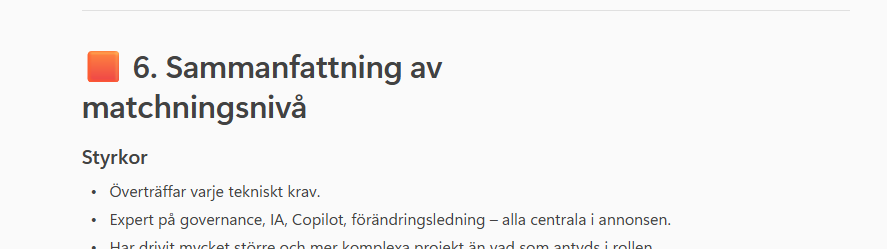
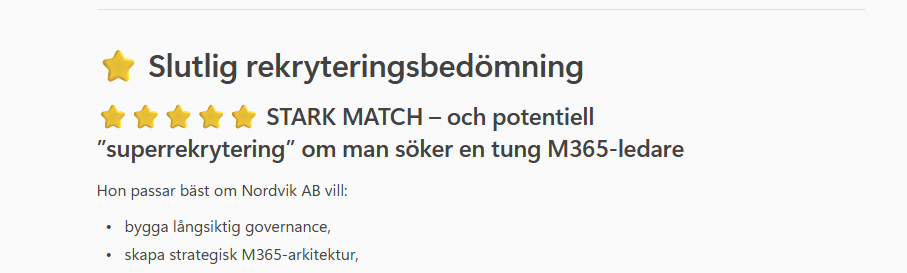
What impressed me most wasn't the match rate – it was that the agent found a genuine GAP and justified why it was a GAP but not disqualifying. It is a reasoning, not a search.
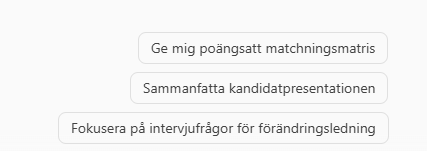
And that's where it really opens up – because once the basic analysis is done, you can continue to quiz the agent. Which brings us to the next section.
What does the agent do – and what doesn't it do?
You start each analysis easily: open the chat with the agent, paste the job ad, and upload your resume. Then type ”Analyze the match.” The agent pulls your context from the Teams folder and puts together the analysis.
The agent does:
- Lists requirements from the job posting
- Match them to the CV with your requirements profile as a reference
- Identifies GAPs and strengths
- Suggests interview questions based on the GAP
- Provides a summary match assessment: Strong / Possible / Weak
The agent does not:
- Makes decisions about who to hire
- Works with scanned PDFs without text layers (a technical limitation to be aware of)
Quiz the agent about the candidate
What many people don't immediately think about: after the initial analysis, you can continue to ask questions about the person in the same chat. The agent has already read the CV and knows what you are looking for. Use that.
Questions that work well:
About experience and matching
- ”What is the strongest thing about this CV?”
- ”Does the candidate have experience from our industry – directly or indirectly?”
- ”Which of the mandatory requirements is the weakest covered?”
About potential and common thread
- ”"Is there a clear career logic in the CV, or is it scattered?"”
- ”Does the candidate seem to have taken on more responsibility over the years?”
- ”Are there signs that the person enjoys working independently?”
Before the interview
- ”Give me three questions that challenge the candidate’s weakest point.”
- ”What should I verify verbally that is not clearly stated in the CV?”
- ”If I have 30 minutes for the interview – what is most important to focus on?”
Quiz the agent about yourself – a demo
Since I used my own CV in the test above, I can also show you how it works in practice. I asked the questions below directly in the chat after the basic analysis – the agent had already read everything:
- ”How well does Pia's background match an organization that is in the early stages of its M365 journey?”
- ”Is there a risk that this candidate will become impatient in a more traditional project management role?”
- ”What in her CV suggests that she can handle resistance internally in an organization?”
These are not flattering questions. They are the questions a good recruiter actually asks – and that most never formulate out loud. The agent answered all three with concrete reasoning linked to actual lines in the resume.
It's not keywords you're looking for in the answers. It's reasoning. And that's where this type of agent is actually strong.
It's an important distinction – and one that you need to communicate to your HR department if you implement this.
The legal part you can't skip
AI in recruitment is classified as high risk under the EU's AI Act. It sounds dramatic, but in practice it means three things:
- Transparency – candidates should know that AI is used in the process
- Human control – AI provides data, a human makes the decision
- Documentation – you need to be able to show how and why AI is used
Deadline for full compliance: August 2, 2026. Don't start the day before.
Do you want the full guide?
I have put together a complete document with background, Microsoft's official documentation, risks, opportunities, step-by-step instructions, test cases, and FAQ.
Download the guide: Recruitment Agent with Copilot Agent Builder (PDF document)
Do you want help with your specific case?
For those of you who are members of CruiseCtrl365 there is Office Hours – a recurring opportunity where we go through these types of questions together. Not a lecture, but a lively conversation where your actual challenges are the starting point.
This blog post actually started as just such a conversation: ”How do you think correctly about AI in recruitment?” is a question we received. Now it's its own section.
Do you have a case you would like us to cover at an upcoming Office Hours? Get in touch – tell us what you’re struggling with, or what you’re curious about. Maybe the next session will be about your situation.
Se paket, priser och gratis medlemskap på CruiseCtrl365
(Free membership is available – you don't have to pay to get in, but you won't get access to everything.)
Back to the shortcut
The shortcut in AI is not finding a new tool. It's asking the right question to the right tool – and understanding where in the process AI actually adds value.
In this case: structured comparison work that frees up your recruiter's time for what AI can never do – assess a human.
It's not a technical issue. It's a mindset.
