The right groups in the right place in Microsoft 365
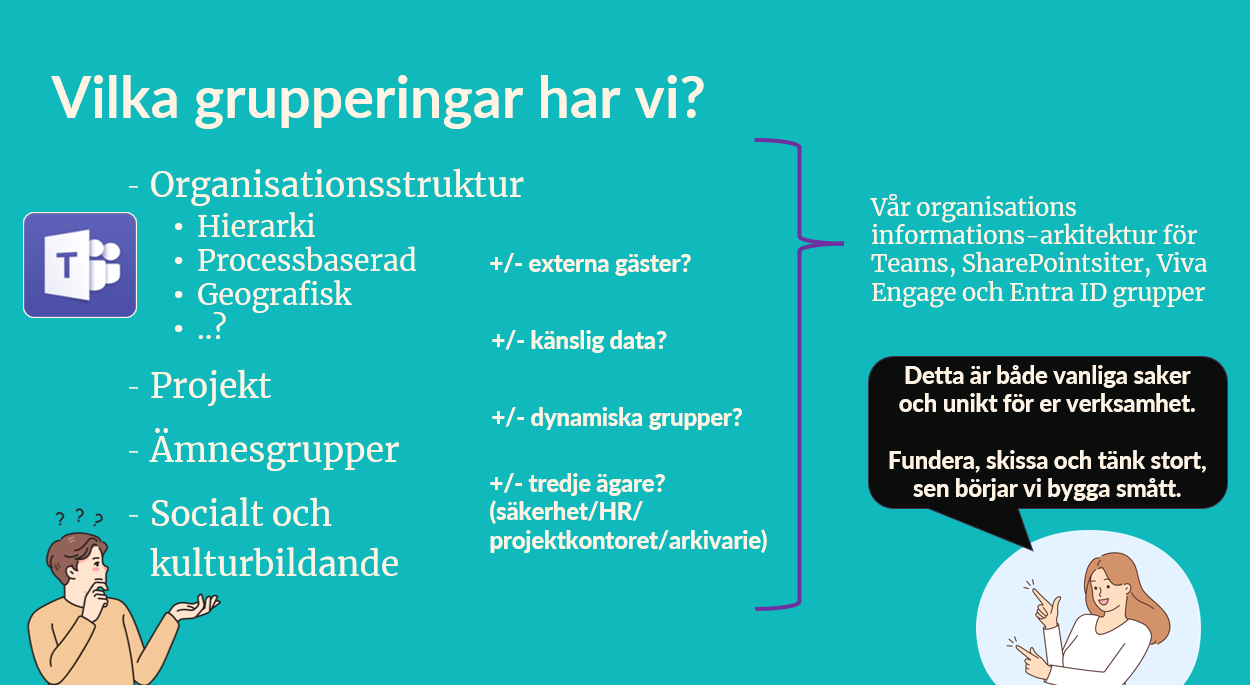
Groups are everywhere – project groups, subject groups, management groups, social groups. In Microsoft 365, they can quickly become both enablers and a chaos of duplicate spaces.
The key is to understand what groups we have and why:
- Is it a project that needs to be completed?
- A subject group that will live a long time?
- A social space for culture and community?
- Or an organizational structure with sensitive data and external guests?
The governance group sets the rules of the game, so we get an information architecture that holds together – from Teams and SharePoint to Viva Engage and Entra ID.
The problem in everyday life
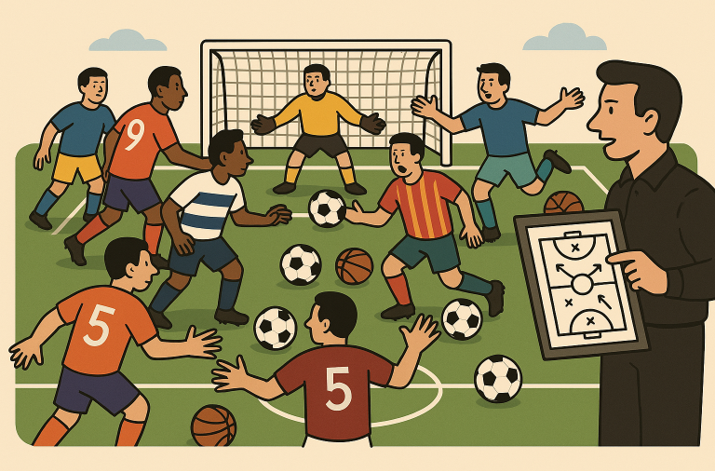
Messy and uncontrolled. I can't find it. Documents live in emails, chats, Teams, WhatsApp and… well, a little bit everywhere. We don't really know where sensitive things actually are, and everyone is looking at IT. IT looks down, sighs and says "but oh well". When we locked down creation, the work moved somewhere else. When we opened up, everyone created. The result was the same: no whole.
Why is it so difficult?
It's a bit like going from a messy closet to the dream of a perfectly sorted IKEA system – in one night.
- We want too much at once. From manual chaos → to magically automated labels and AI? Not day one.
- Our resources are out of sync. Policies, training, budgets and systems development are pulling in different directions.
- Responsibility falls into the lap of ”someone else.” Who really decides what is sensitive?
- The technology exists – but the rules of the game are missing.
The way forward – the governance group holds the whole together
Here, the governance group becomes our playing field – the team that ensures we don't run in separate directions.
Building block | This is how it is felt in everyday life |
|---|---|
Information security first | Legal and information owners set the framework. ”Yes, if …” replaces ”no”. |
Common structure | Templates and standardized teams for projects, functions, and forums – so everyone plays the same game. |
Different groupings for different needs | The organizational structure can be reflected in Teams, projects get their own spaces, subject groups drive knowledge and social groups strengthen culture. But – the governance group must decide: can external guests be included? Do we handle sensitive data here? Is a third owner needed (security/HR/project office)? |
Storage strategy | Conclusion: what should be where – and why. Invoices in the financial system, not in Teams. |
Pace, not jerk | Introduce policies and training in the right order, and measure whether it works. |
The map is drawn together | Information owners update responsibility and sensitivity continuously – not every five years. |
Pedagogy before finesse | We choose words and navigation that people actually understand. |
When the foundation is in place – that's when it really happens
When the structure starts to fall into place, the difference in everyday life is noticeable:
- Surfaces, names and labels are understandable.
- Different groups – projects, subjects, social – have clear rules of the game.
- Sensitive information is both classified and searchable.
- Double storage is reduced, and we know why something is where it is.
But governance is not a one-time effort – it is a rhythm. Just like in a project with sprints, recurring check-ins are required: are our rules working, are they being followed, does anything need to be adjusted?
A good rule of thumb is: Teams = collaboration, SharePoint = archive, OneDrive = personal. But don't forget the gray areas – Teams and SharePoint are interconnected, and therefore common examples and practices adapted to your reality are needed.
When the governance group holds the whole together, it becomes less searching and more doing. That's when the digital workplace goes from being a collection of tools – to becoming a place where people actually want and can collaborate.
Try it yourself – start small
Select an area, for example subject groups.
- Map out which subject groups already exist – and how they are used.
- Discuss in the governance group: Do they have external guests? Is there sensitive data here? Is a third owner needed?
- Agree on a simple rule for new subject groups – and follow it for two weeks.
This is what you take with you.
- Governance is not technology – it is the rules of the game.
- Different groups have different purposes – but need the same holistic approach.
- Simple structure beats a thousand variations.
- Rule of thumb: Teams = collaboration, SharePoint = archive, OneDrive = personal.
This post is part of the series Common mistakes in the digital workplace.